Librarians and/or other institution contacts with access to the Administrator login can review and export usage logs for institutions. The following items are included in the report:
- Turnaways - The number of times users get locked out due to maximum number of users logged in at the same time
- Total Logins - Total number of times users logged in at a given amount of time
- Average Time Per session - Average number of hours and/or minutes each user spent in the site while logged in
- Total Streams - the number of videos streamed at the given period
Below are instructions on how to generate statistics on Naxos Video Library:
1. Once logged in, click Usage Stats on the upper part of the screen.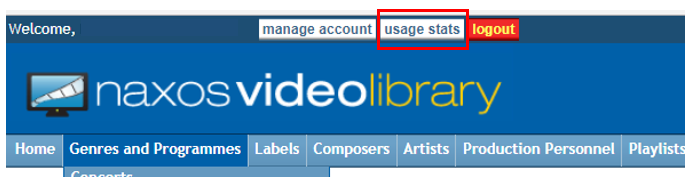
2. Once the usage statistics page loads, the logs displayed by default is for the last 12 months. Using the drop-down list options, please set the desired inclusive period for the usage report. Note that allowed range is only within 12 months. Once done, hit Go.
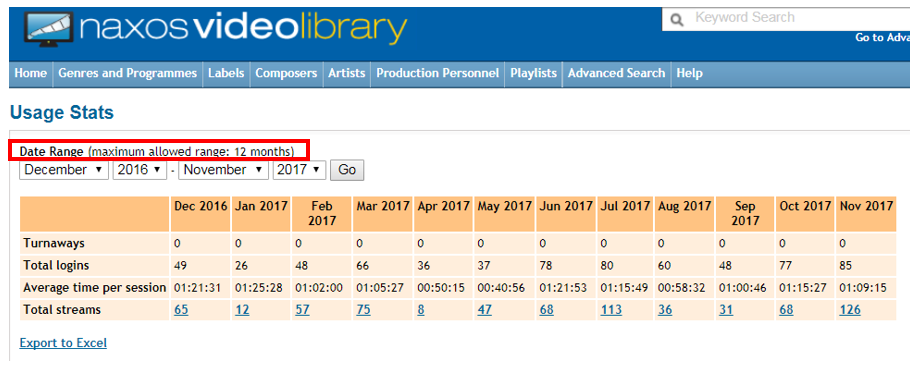
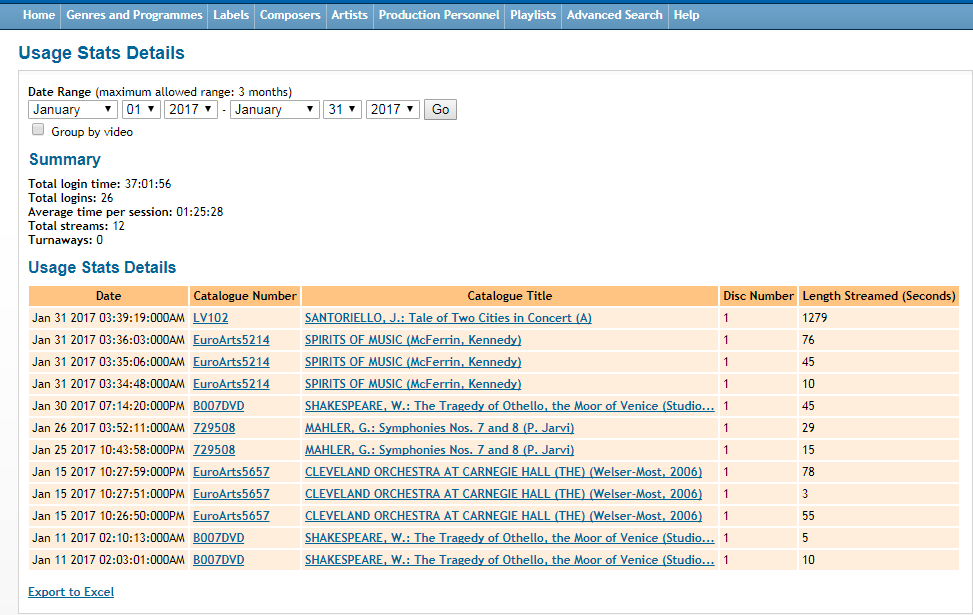
3. On the last row, figures can be selected to reveal the exact videos/clips users streamed at the specified report period. In the sample in (2), these are the videos streamed for period January 1 up to 31, 2017.
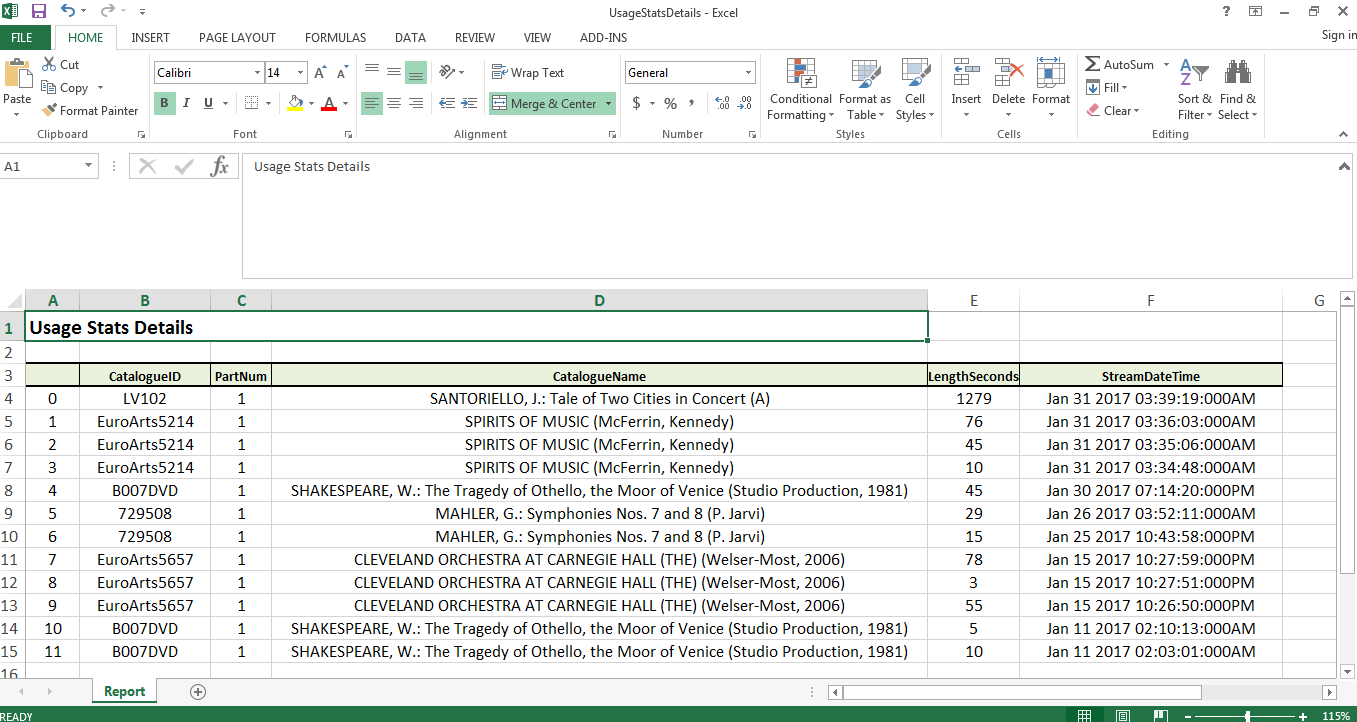
4. On the other hand, users have the option to export the main usage statistics summary or the detailed report, in .xlsx format, by clicking the Export to Excel link at the bottom of the page. As soon as it downloaded, you may be able to view the details on a spreadsheet.
0 Comments