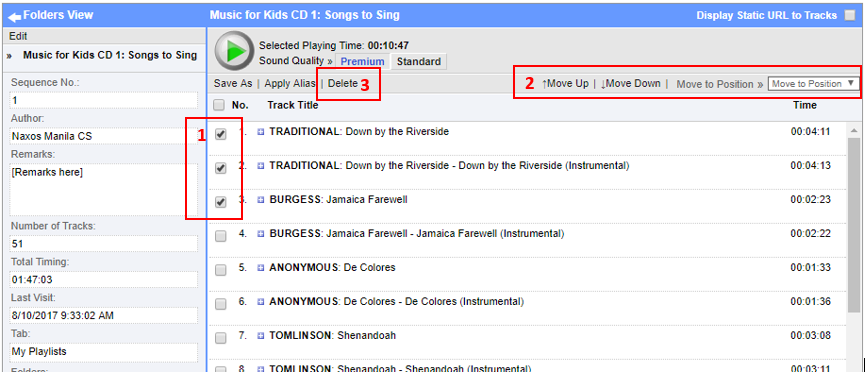
1. Select checkbox beside the track name.
2. Change position of tracks by clicking on Move Up/Down or Move to Position. Move Up/Down is used to move single tracks. While the other is used to move multiple tracks.
3. To delete tracks, select the track to delete and click on Delete link.
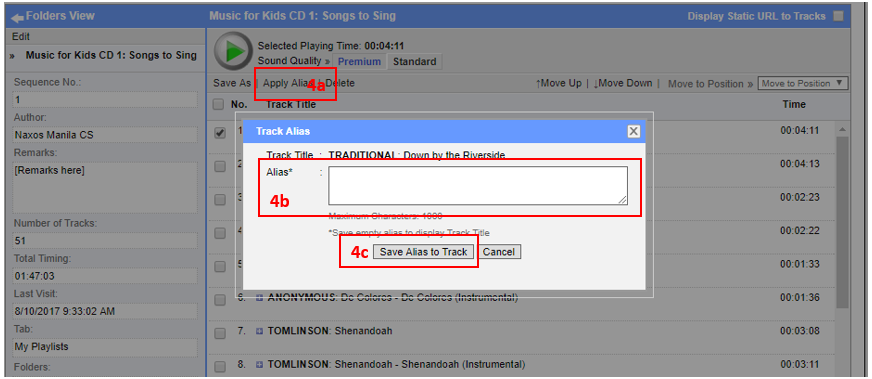
4. To change track display name just select the track and click on (a) Apply Alias. The Track Alias screen will appear. (b) Change Alias and click on (c) Save Alias to Track button.
0 Comments