Playlists for Educational Use
If you are a professor or authorized member of an institution who would like to create playlists to share with students for use in class or extracurricular listening, you will need special login credentials to access this feature. Please contact the librarian who oversees your online resources for more information. Once you have logged in just remember that anywhere below you see a reference to the “My Playlists” tab, select the “[Your Institution] Playlists” tab instead if you want to make the playlists accessible to the general subscription.
Playlists for Personal Use
If you are a student, faculty member, or library patron who would like to create your own playlists for personal use, you will first need to set up your Personal Playlist account. Simply follow these steps:
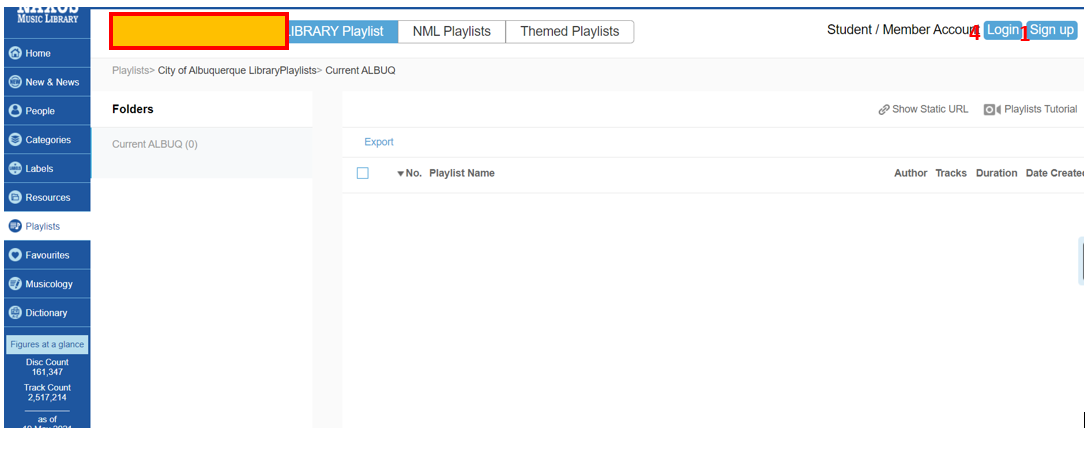
1. On the Playlists page, select “Sign Up” on the right side of the page.
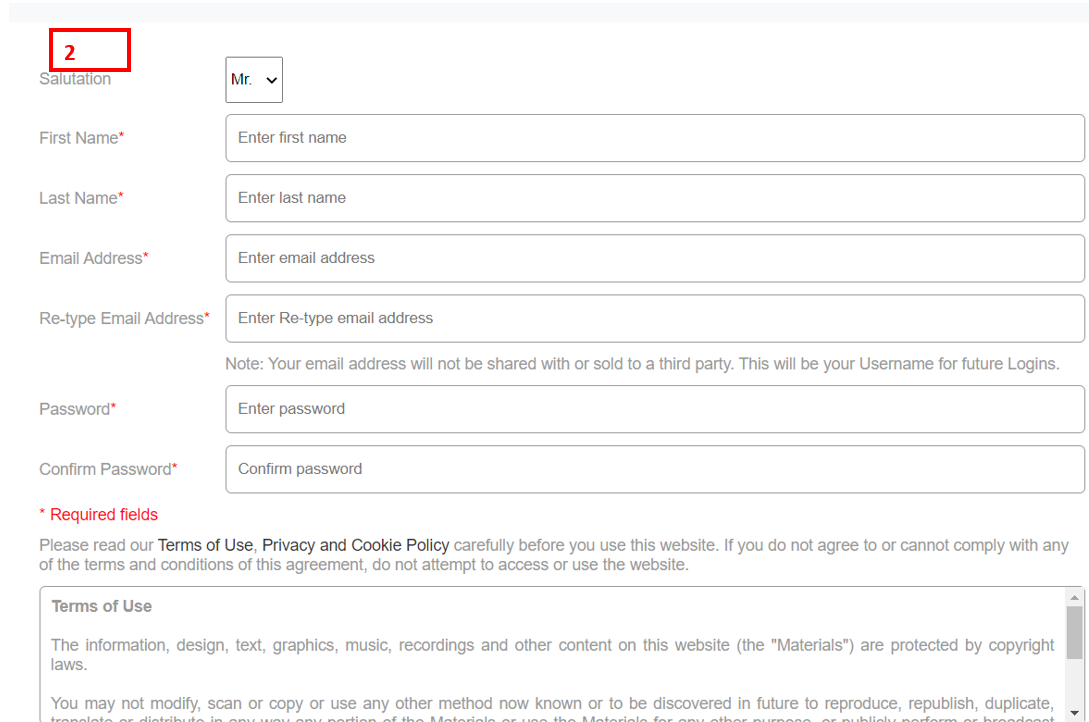
2. Fill up the form.
3. An activation email will be sent to the email address provided. Check your inbox and click the activation link in the email. Please note that this email may end up in your junk folder.
4. Once the Personal Playlist account has been activated, you can use your email address and password to log in on the Playlists page.
5. The credentials you just created can also be used to log in to the free Naxos Music Library mobile app.
Change Password
1. Log in on your Playlist account.
2. On the Playlists page, select “Edit Profile” on the right side of the page.
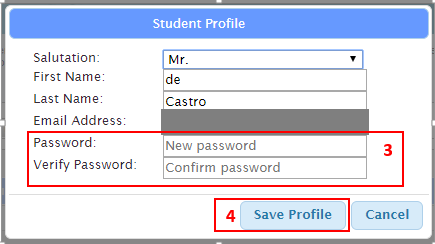
3. On the pop up screen input new password and verify.
4. Click Save Profile.

0 Comments