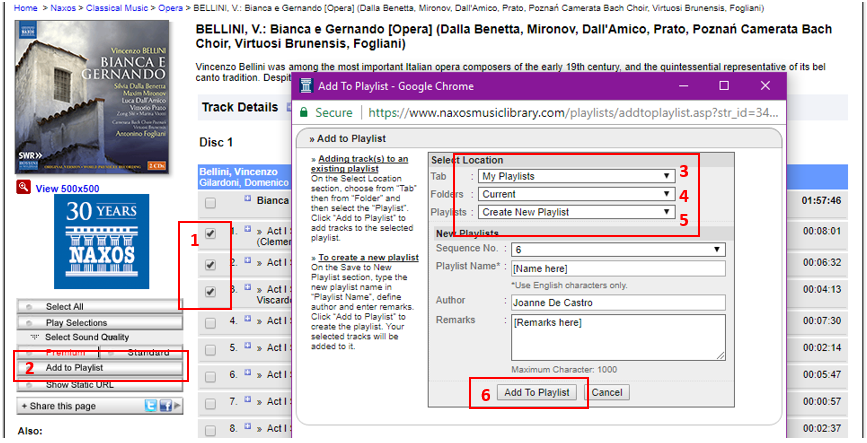
1. Select the tracks you want to add to the playlist by ticking on the checkbox beside the track names.
2. Click on the Add to Playlist button to add the selected tracks to the playlist.
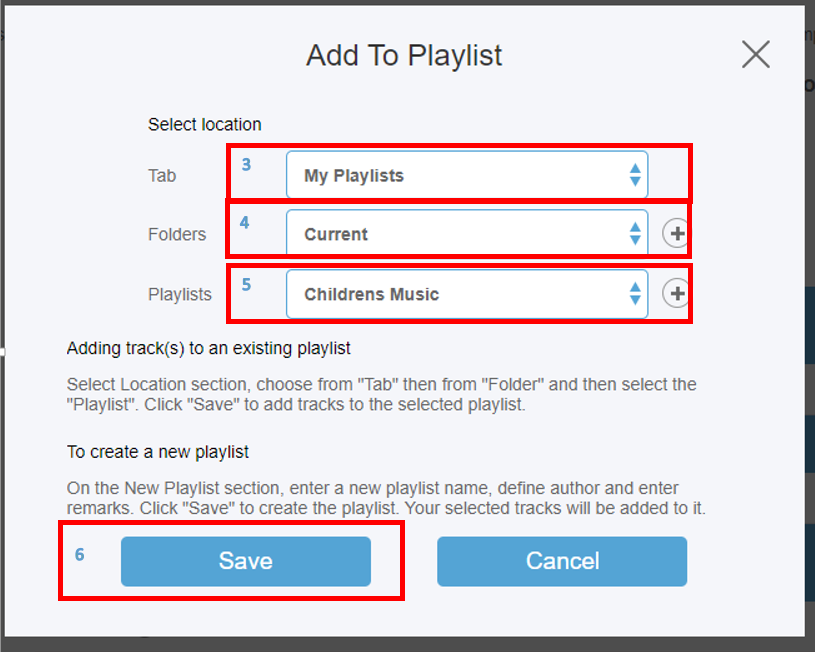
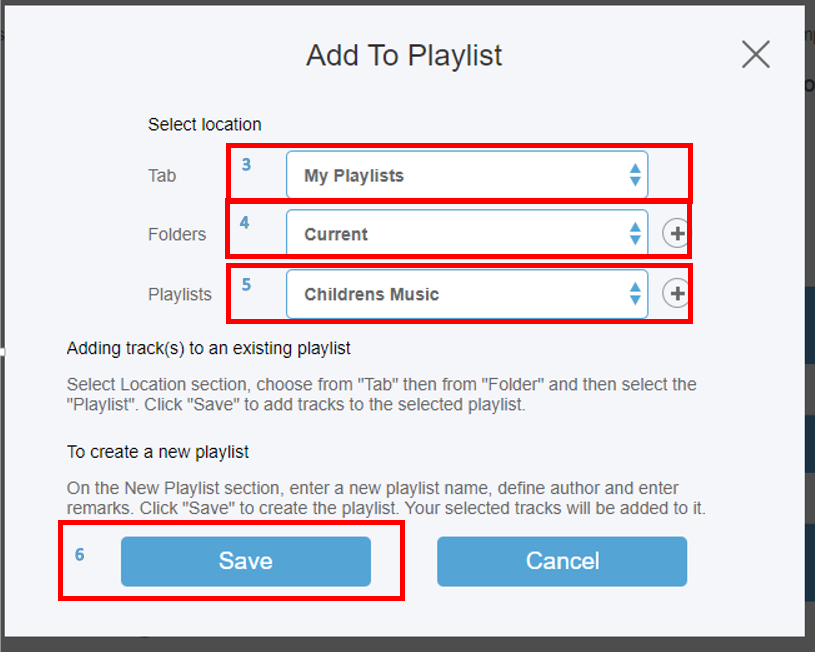
In the Select Location section:
3. Tab will be ‘My Playlist.’
4. Select the folder group you want to add the playlist to.
5. Select playlist name from the dropdown.
6. Click on Add To Playlist button to save.
NML3
0 Comments