To choose your preferred language, please see the following:
Via Homepage
Click the drop-down option from 'Choose a language:' field at the upper right portion of the page:
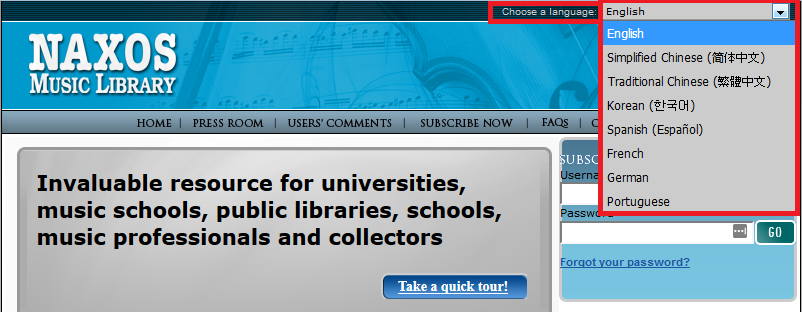
NOTE: Your previously selected language option settings will still be applied on your next session on Naxos Music Library.
Via Manage Account page
1. Login to your Naxos Music Library account.
2. Click 'Manage Account' link at the top left portion of the page.
3. On the 'Language:' field, click the drop-down box and select your preferred language.
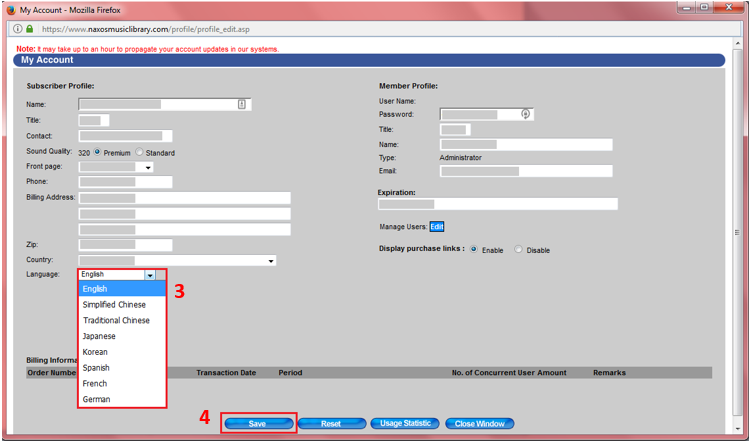
4. Hit the 'Save' button.
0 Comments