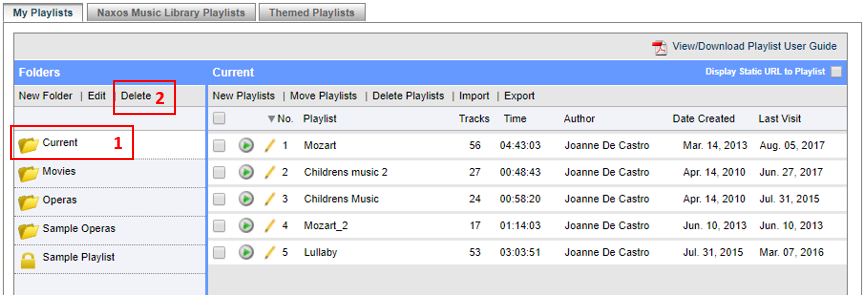
1. Choose the Folder to be deleted.
2. Click on Delete.
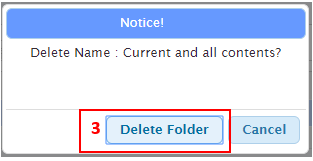
3. On the delete popup screen, click on Delete Folder button to confirm.
NOTE:
Delete folder function will delete all the playlist under the folder. You cannot undo this process. Please ensure that your selection is correct, otherwise, you have to re-create all the playlists.
0 Comments