Click on Playlist menu:

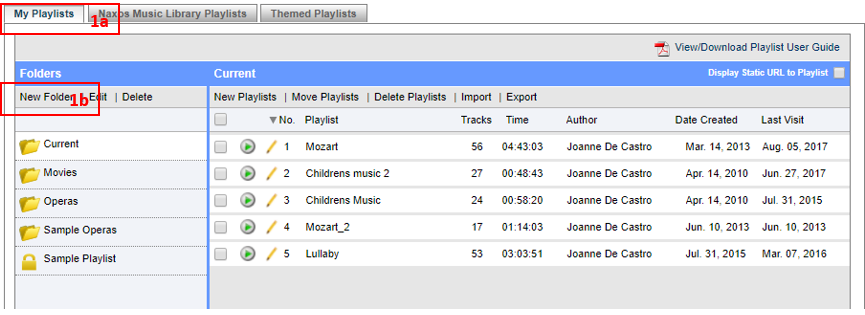
1. Under the (a) My Playlists tab, Click on (b) New Folder.
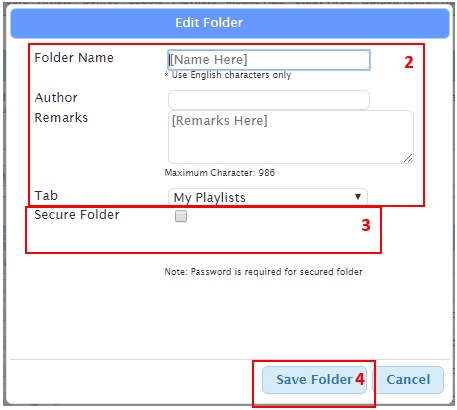
2. On the Create Playlist Folder popup screen, define Folder details.
3. You may secure your folders by defining passwords for them. Just tick on Secure Folder then create and confirm the password. The lock icon indicates that a folder is secured.
4. Click Save Folder.
NOTE:
- Please make sure to remember your Folder password.
- The folder Current is the default folder in your ‘My Playlists’ tab. You may change its name. You may also create other folders to group your playlists.
0 Comments